
 Helgi BenediktssonProduct Updates
Consolidating emissions into a single navigation view
Ankeri consolidates CII, EU ETS, UK ETS, and FuelEU modules into a single Emissions view with a fleet-wide dashboard and cross-regime vessel tracking.
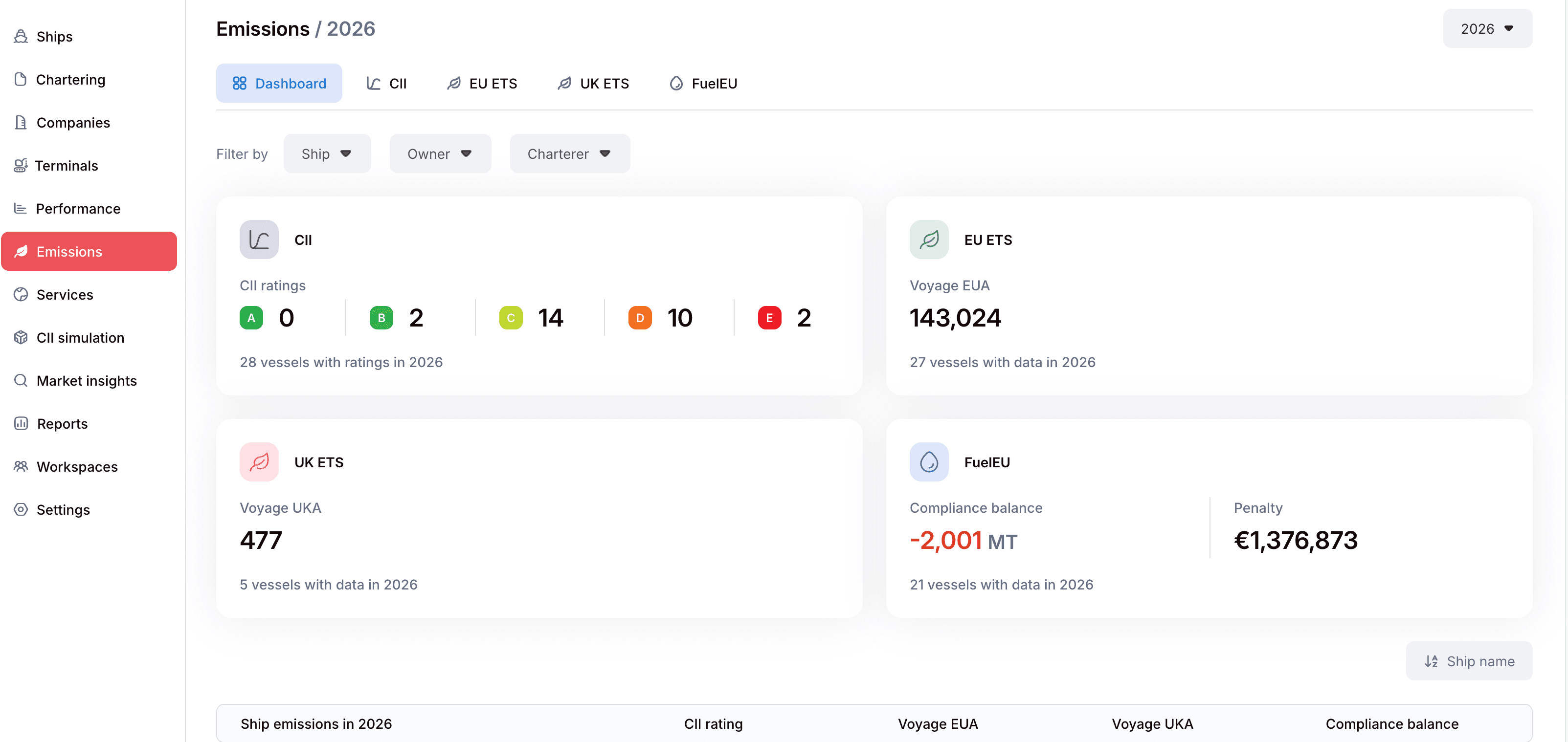
We have consolidated Ankeri's emissions modules—CII, ETS (EU and UK), and FuelEU—into a single Emissions entry in the navigation tree. Instead of jumping between four disconnected sidebar items, chartering and operations teams now manage every regulatory regime from one central view.
Maritime decarbonization rules keep multiplying, but managing them across your fleet should not require switching between isolated screens. Here is what has changed and how it simplifies your daily workflow.
Fleet metrics: cross-regime visibility on a single screen
The new landing dashboard gives you an immediate summary of your fleet's environmental exposure. On one screen, you can track CII rating distributions across active vessels, aggregate voyage EUA and UKA exposure, and monitor your overall FuelEU compliance balance alongside estimated penalties. Quick filters for ship, owner, and charterer let you narrow down exposure in seconds.
Below the summary cards, the ship table presents every vessel with its CII rating, EUA, UKA, and FuelEU compliance figures side by side. Clicking any vessel opens a detailed side panel showing that ship's cross-regime breakdown, recent sailings on an interactive map, and direct links into deeper module analytics.
Workflow updates: tabbed navigation, shared years, and clean redirects
Day-to-day navigation is now noticeably lighter. The four separate sidebar modules have moved to clean tabs under the main Emissions heading, keeping your sidebar focused. A global year selector at the top persists as you switch between tabs and updates the page URL, so you never have to re-select the reporting year when reviewing different regulations.
Existing bookmarks and links continue to work without interruption. Previous URLs for `/cii`, `/ets/eu`, `/ets/uk`, and `/fueleu` automatically redirect to their new tab locations while preserving existing query strings. In addition, the Emissions item appears only for users with access to at least one emissions module, maintaining your team's role-based permissions.
The consolidated Emissions view is live in your Ankeri account today. Log in to explore the new dashboard, or schedule a walkthrough with our team if you want to see how integrated emissions tracking fits into your chartering workflows.